
BlogGuides
Redirects and UTM tags without touching code
We retired a page and sent its traffic to sign-up with a single CMS rule — regex, UTM tags and all. Here's how, and the two mistakes that briefly sent visitors to a 404.
glokki team2 min read
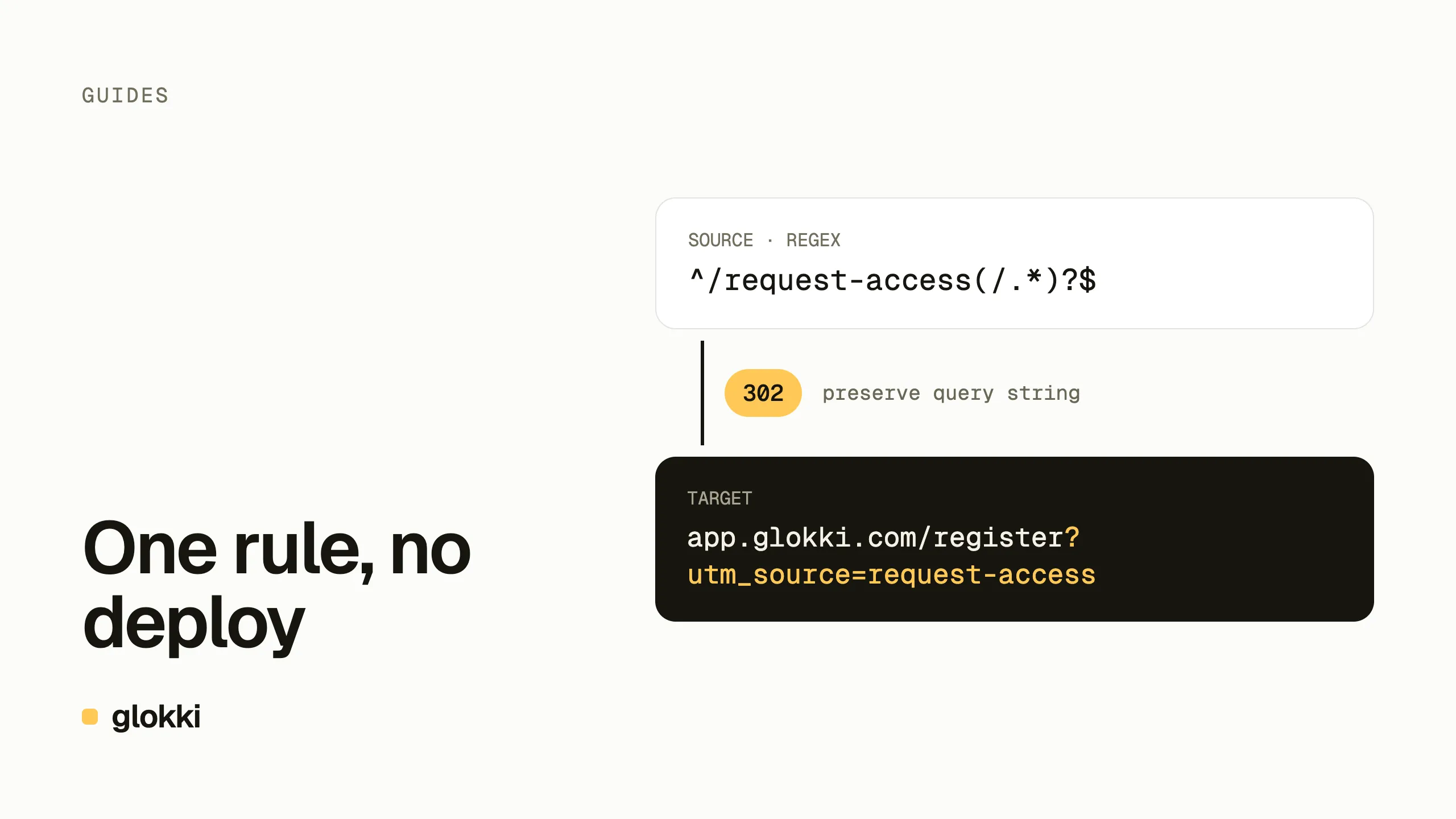
When sign-up became self-serve, our "request access" page had nothing left to do. It still had links pointing at it — old posts, bookmarks, a few emails — so deleting it would have turned those into 404s. We redirected it instead, and tagged the redirect so sign-ups that come through old links show up as their own source.
It took one rule in the CMS. It also took two attempts, and the first one is the more useful part of this post.
The rule
In the dashboard, Settings → Redirects:
| Field | Value |
|---|---|
| Source | ^/request-access(/.*)?$ |
| Regex | on |
| Target | https://app.glokki.com/register?utm_source=request-access |
| Type | temporary while testing (ours is permanent now that it's final) |
| Preserve query string | on |
- Regex lets one rule cover the page and everything under it — here, the old thank-you page too.
- The target carries its own UTM tag, so in analytics these sign-ups
arrive as
utm_source=request-access. - Preserve query string passes the visitor's own parameters through. A
link that already had
?utm_source=newsletterkeeps it: the visitor's tags win over the rule's.
Rules apply on the site within a minute, with no deploy. Once the redirect
worked, we unpublished the old pages so they dropped out of the sitemap and
llms.txt.
Mistake 1: a relative target
Our first version had /register?utm_source=request-access as the target.
A relative path is resolved against the site, not the app, so visitors went
to glokki.com/register — which doesn't exist. For sign-up on another
domain, the target has to be the full URL.
Mistake 2: permanent while testing
The first rule was also permanent (301). Browsers cache a permanent redirect, often for a long time, and stop asking the server. Anyone who hit the broken rule in those few minutes can keep landing on the 404 even after the fix, until their browser forgets it.
Use temporary (302) while you're setting a redirect up, check it, and switch to permanent only when it's final — or keep it temporary if the target might change again. Search engines handle both; for a page that has simply moved within your site, permanent is the right end state.
A safety net we'd add next time: a second rule from the mistaken path
(/register) to the right target, so anyone whose browser cached the bad
redirect still lands in the right place.
A bug we found on the way
In our site's proxy, "preserve query string" replaced the target's query
with the visitor's. A visitor with no parameters would have arrived with no
parameters at all, and the rule's utm_source tag would have been silently
dropped. A test caught it before the rule went live; the proxy now merges
the two, visitor's values first. If your redirect targets carry tags, check
one with an untagged link.
Renaming a page creates its own redirect
You don't need a rule every time a URL changes. When you change a page's slug in glokki, the CMS tries to add a redirect from the old slug for you. It skips that when another page still uses the old slug or a redirect from it already exists, so check the result rather than assuming.
Checklist
- Full URL for targets outside your site.
- Temporary while testing; permanent only when final.
- Regex with anchors (
^…$) so the rule doesn't match more than you meant. - Test with and without a query string.
- Unpublish the old page once the redirect works.
Create a free account and manage redirects from the dashboard.