BlogEngineering
Visual editing in a headless CMS: how it works
Your real Next.js pages in an iframe, a postMessage handshake that sends the CMS your block schemas, and a proxy that keeps public pages static. How glokki's visual editor works, and what we got wrong on our own site.
glokki team4 min read
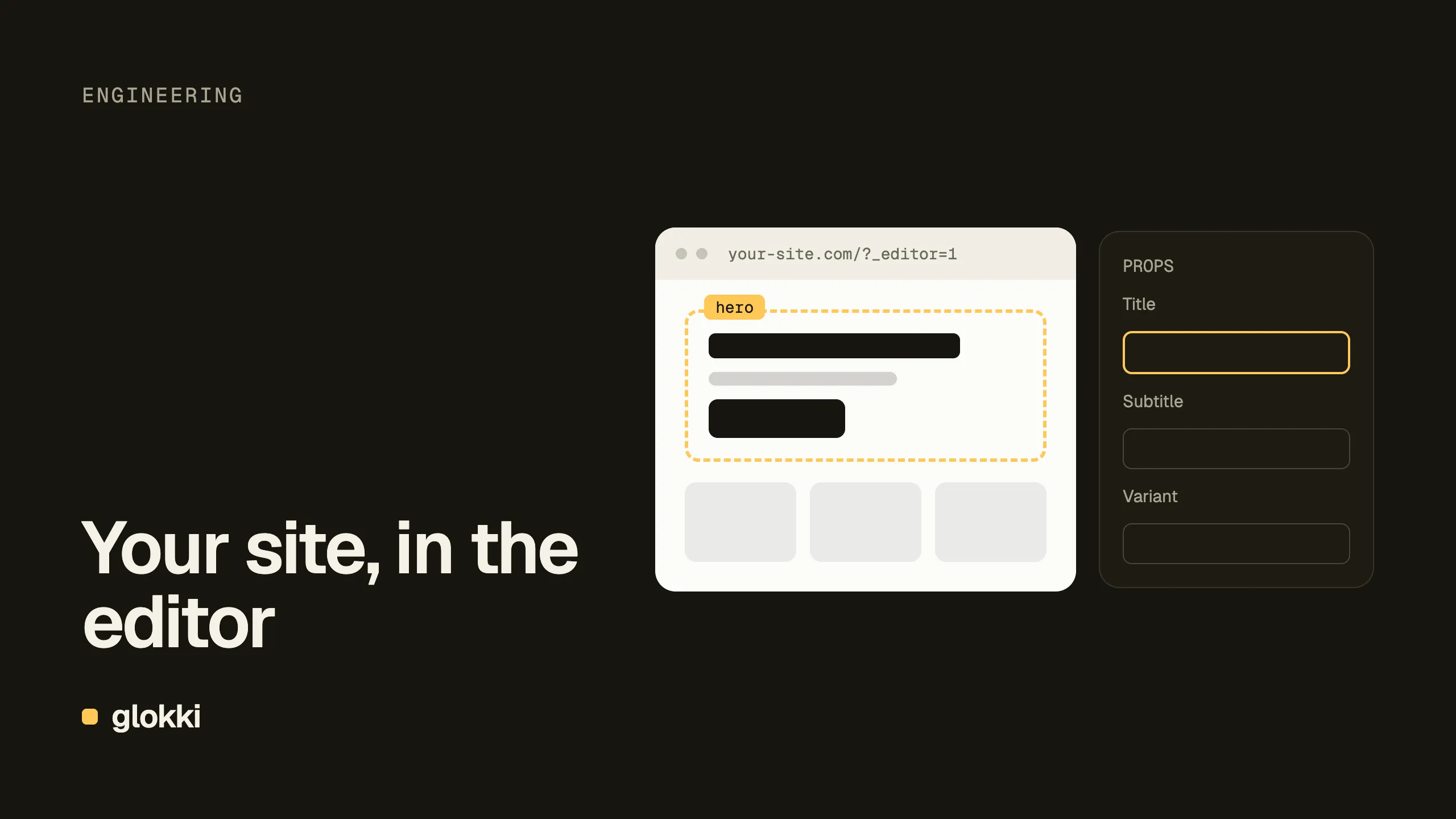
A headless CMS usually comes with a trade-off. Developers own the frontend, and editors fill in forms and press "preview" to see what they did. Visual editing removes the second half of that: editors click a heading on the real page and change it in place.
The hard part is doing it without the CMS owning the frontend. glokki's editor doesn't have its own renderer or a copy of your components. It shows your site, running your code, and talks to it. Here's how.
Your page, in an iframe
In the CMS settings you set a Frontend URL, the address of your app. To edit a page, the CMS loads that page in an iframe with three extra parameters:
https://glokki.com/about?_editor=1&_editorToken=<token>&_editorOrigin=https://app.glokki.com
Your app sees _editor=1 and renders an editor shell instead of the
published page:
<VisualEditorProvider
  registry={registry}
  blockRegistry={blockRegistry}
  layoutRegistry={layoutRegistry}
  pageSlug={pageSlug}
>
  <CMSPageEditor />
</VisualEditorProvider>
Both components come from @glokki-cms/react. Everything in the iframe is
your app: your blocks, your Tailwind classes, your fonts. If a block looks
wrong in the editor, it looks wrong on the site too.
The handshake
The iframe and the CMS are on different origins, so they talk through
postMessage:
iframe (your app)                          CMS
  │── handshake: block registry ──────────►│  schemas, defaults, metadata
  │◄───────────── page tree + editor state ─│
  │◄───────────── tree:update ──────────────│  on every edit in the props panel
  │── selection, hover, drag ─────────────►│
- The app introduces itself. The provider sends its block registry: every block's type, Zod props schema, defaults and metadata.
- The CMS builds the forms. The props panel is generated from those
schemas.
z.string()becomes a text field,z.enum()a select,z.boolean()a toggle,z.array(z.object())a repeatable list. Nobody configures block types in the CMS. - The CMS sends the page. The iframe gets the current component tree and
renders it with
<CMSPageEditor>, which adds the overlays: selection, hover outlines, drag handles and the "insert here" gaps. - Edits stream in. Each change in the props panel arrives as a
tree:updateand the iframe re-renders. Nothing is saved to your app. The draft lives in the CMS.
So a new block needs no CMS-side setup: deploy it, open the editor, and the
handshake announces it. The catch is in the word deploy. The editor loads
your Frontend URL, which is usually production. A block that exists only on
a preview branch doesn't exist as far as the editor is concerned. We found
that out on our own blog: the new blocks didn't appear in the editor until
we merged to main.
Keeping public pages static
Editor and preview requests need per-request rendering: they read query
parameters and draft content. Public pages shouldn't pay for that.
glokki.com serves pages through one catch-all route with ISR, and that route
never reads searchParams. Reading them would make every page dynamic.
The split happens in proxy.ts (Next.js 16's middleware), before routing.
Requests with ?_editor=1, or ?preview=true plus a token, are rewritten
to a separate, dynamic route. The browser URL doesn't change:
if (isEditorMode || isPreviewMode) {
  const url = request.nextUrl.clone()
  url.pathname = `/_cms${url.pathname}` // force-dynamic route, noindex
  response = NextResponse.rewrite(url)
}
The same check decides who may frame the page. You can see both behaviours
on glokki.com with curl -I:
| Request | Framing | Caching |
|---|---|---|
/ | X-Frame-Options: SAMEORIGIN | public, served by ISR |
/?_editor=1 | frame-ancestors 'self' https://app.glokki.com | private, no-store |
A public page can't be embedded by anyone. An editor view can be embedded,
but only by the CMS. Setting tenantSlug on the provider adds a second
check: if a Frontend URL ever points at the wrong tenant's app, the
handshake is refused before any draft content is sent.
Drafts and templates
The same route covers two more cases.
- Preview links.
?preview=true&token=…fetches the draft through a client withpreview: trueandcache: "no-store", renders the normal page with a "draft" banner, and is markednoindex. This is the link you send to someone who should see a page before it's published. - Block templates. Templates are saved block trees with no page behind
them, so there's no URL to load. A small passive route,
/_editor-preview, renders whatever tree the CMS sends it. Outside the editor it renders nothing, so it can't be indexed or used as an open renderer. It's the one editor URL the proxy must not rewrite, but it still needs the framing header. The docs didn't mention that when we built our site, so it went on our list of gaps. The Editor Preview Route guide now shows the condition.
Three things to get right
- Keep the editor and the published page on the same components. It sounds obvious, but a separate "editor version" of a block is how visual editors drift from the real site. With one registry used by both routes, they can't drift.
- Don't count editors as visitors. Editing reloads pages constantly. An
analytics script that runs in the iframe inflates your numbers. glokki's
own beacon skips editor and preview views since
@glokki-cms/react0.10. Check any other scripts you add. - Prefer flat schemas. The props panel is generated from Zod, and
arrays of objects work well. A nested
z.object()field is currently stored as plain text and can't be set as an object. Our header's mobile menu couldn't be configured until we flattened it, as told in our rebuild write-up.
Set it up
The integration guide walks through the editor shell, the CSP proxy, the Frontend URL setting and preview mode. The block development guide covers how schemas become editor fields.
Create a free account and open your own site in the editor.